How to Set Up Smile.io on Shopify (2026 Step-by-Step Guide)
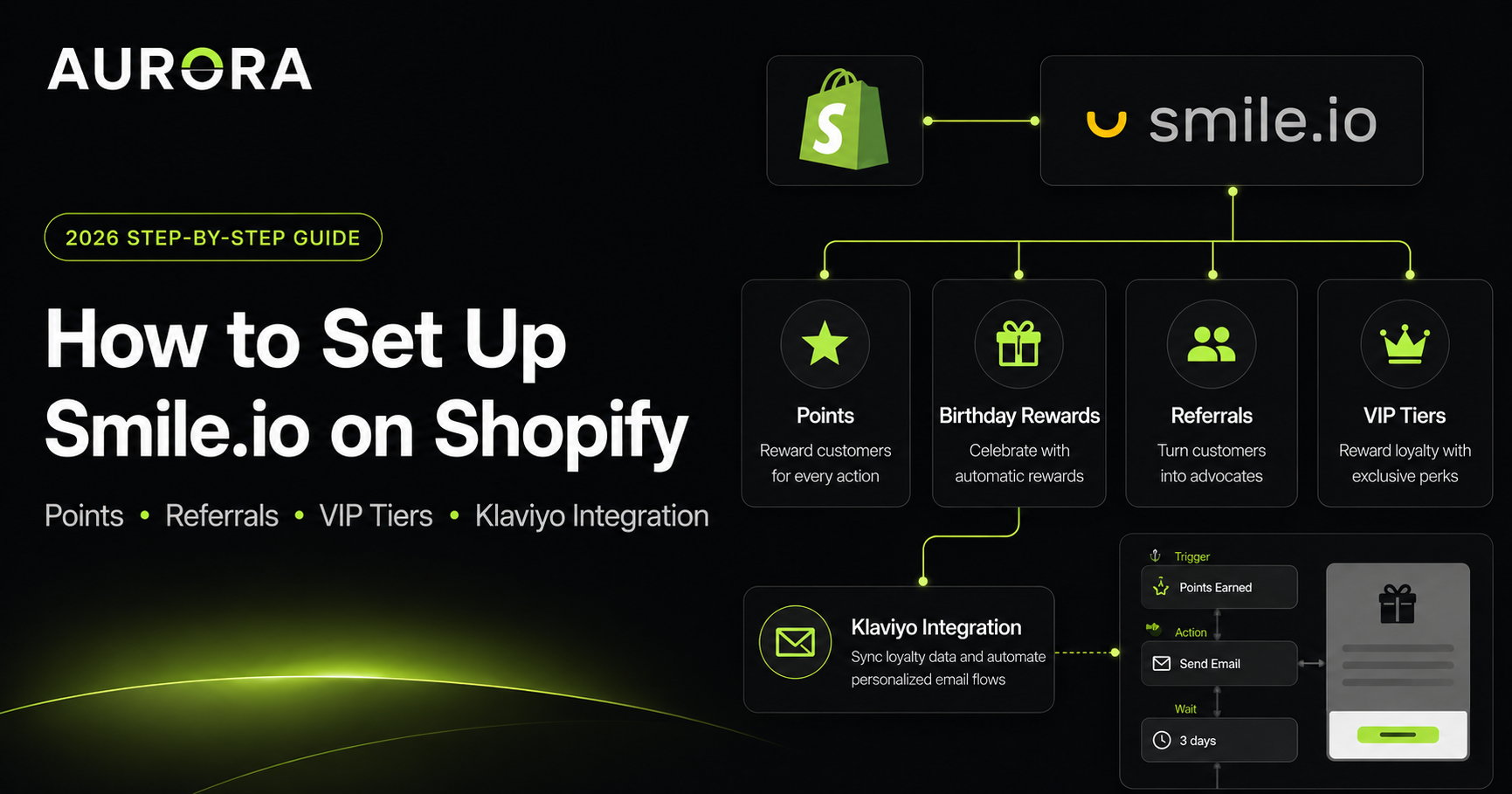
Most Shopify stores install Smile.io, click through the default onboarding, and never touch it again. The points get awarded, the rewards sit unredeemed, and six months later somebody asks "why isn't loyalty driving any revenue?"
This guide is the actual setup process — the order I follow when I install Smile.io for clients. By the end, you'll know how to add Smile.io to your Shopify store, configure points and birthday rewards, build a referral program, and connect it all to Klaviyo so the program actually does its job.
I'm Mohammad Shariful Alam. I run AURORA — a Klaviyo Partner and Smile.io Partner agency. I've installed Smile for DTC brands across skincare, fragrance, supplements, glamping, and food & beverage.
- Klaviyo Partner
- Smile.io Partner
- Shopify Partner
- Built for Shopify
- Omnisend Partner
- 5.0★ Verified Clients
Don't have time to DIY this? We'll install Smile end-to-end with the Klaviyo integration in 14–21 days. See our Smile Loyalty Setup product →
Why Smile.io for Shopify
Smile.io is the best Shopify loyalty app for most growing DTC brands, for three reasons:
- Built for Shopify certified. Smile holds Shopify's highest app quality designation — deeper integration, faster Shopify-feature support.
- Right tool for the stage. Free up to 200 orders/month so you can validate before paying. Paid plans unlock VIP tiers, branding removal, and the Klaviyo integration.
- Points + VIP + Referrals in one platform — no need to stitch together three apps and pay three subscriptions.
How to add Smile.io to your Shopify store
- Step 1. Open the Smile.io listing on the Shopify App Store. Click "Add app" and authorize permissions.
- Step 2. Smile redirects you into onboarding — business name, what you sell, a few defaults questions.
- Step 3. Create your Smile account (separate login from Shopify).
- Step 4. Land on the Smile dashboard with Points, VIP, and Referrals all in default configuration.
Install takes under 10 minutes. Default settings rarely match your business model, so the next steps are where the real work happens.
How to use Smile.io points (the foundation)
In Smile dashboard, go to Points → Ways to Earn. Configure these in order:
- Account creation — 100–250 points for creating a store account.
- Purchase points — start with 1 point per $1 spent.
- Social actions — Instagram, Facebook, X follows. Cap at 2–3 actions per customer.
- Birthday points — see the dedicated section below.
Redemption tiers
- 100 points = $5 off (entry tier)
- 500 points = $25 off
- 1,000 points = $50 off
- 2,000 points = $100 off (top tier for high-AOV stores)
Set points to expire after 12 months of inactivity. Smile triggers an automatic email before expiry — wire that into Klaviyo for better deliverability.
Smile.io how to set the birthday reward
- Step 1. Smile → Points → Ways to Earn → Birthday.
- Step 2. Choose reward type — bonus points (most common), fixed discount, or free product.
- Step 3. Set a 7-day reward window starting 3 days before the birthday.
- Step 4. Add a birthday field to your account form OR run a Klaviyo flow asking for it in exchange for bonus points.
How to set up the Smile.io referral program
Referrals are the highest-ROI loyalty feature for most Shopify stores. Referred customers convert better, spend more, and have higher LTV than paid-acquired customers.
- Step 1. Referrals → Configuration in the Smile dashboard.
- Step 2. Set the referring customer reward — points, $10–$25 store credit, or free product.
- Step 3. Set the referred friend reward — "Give $10, Get $10" is the classic format.
- Step 4. Set minimum order amount at ~50% of your AOV to prevent gaming.
Smile generates a unique referral link per customer. It should appear in three places: customer account page, post-purchase email, and Klaviyo flows.
VIP tiers (Smile Memberships)
- Bronze — entry tier, automatic on first purchase
- Silver — $250–$500 lifetime spend, 1.5x earning
- Gold — $1,000+ lifetime spend, 2x earning + exclusive perks
The Smile Klaviyo integration (where most setups stop short)
When configured, the Smile Klaviyo integration pushes these properties into Klaviyo profiles:
- Customer points balance (live)
- VIP tier and tier ID
- Referral URL and status
- Points earned, redeemed, expiring
- Referrals started and completed
Build these segments first: VIP Gold, VIP Silver, High points balance (500+), Expiring points (30 days), Top referrers.
Then three flows transform a passive program into an active revenue driver:
- Smile Welcome Series — educates new members on earning, redemption, and referrals.
- Referral Reminder — 14 days post-purchase to customers who haven't shared their unique link.
- Redemption Reminder — when a customer has unredeemed points worth $10+. Drives the first redemption (and customers who redeem once redeem repeatedly).
Want the full deep-dive on the Klaviyo + Smile.io integration — every synced field, all 5 flows, and segmentation recipes? Read the Klaviyo + Smile.io Integration guide →
For a complete walkthrough of how these flows fit a broader Klaviyo strategy Read the 7 essential Klaviyo flows guide →
“They are absolutely outstanding to work with. Went above and beyond to deliver a fully bespoke Klaviyo setup tailored to my business. Made the whole process seamless and stress-free.”
Troubleshooting: Smile.io and Klaviyo issues (and how to fix them)
- Smile data isn't showing in Klaviyo. The integration only syncs on a paid Smile plan, and properties appear on a profile after that customer's next loyalty event. Trigger a test earn or redemption, then re-check the profile.
- Points balance in Klaviyo is out of date. Profile properties update on events, not continuously — never build a discount email on a cached balance. Reference the balance in copy and send customers to the account page for the live number.
- Referral link is empty in emails. The referral URL property only exists once the customer has an account. Add a flow filter requiring the property to be set before the send.
- Rewards emails come from Smile instead of your brand. Turn Smile's built-in notifications off and rebuild them as Klaviyo flows so deliverability, branding, and reporting stay in one place.
- Points awarded for orders that were later refunded. Enable point cancellation on refunds in Smile so credits don't leak.
- Widget doesn't appear on the storefront. Check the Smile app embed is enabled in your Shopify theme editor; custom themes sometimes ship it disabled.
- Duplicate profiles between Smile and Klaviyo. Both key on email. Guest checkouts using a different address than the loyalty account create splits — standardize on account-based checkout for members.
Common Smile setup mistakes I see
- Setting points value too high — keep it at 100 points = $1.
- Forgetting to collect birthdays — zero redemptions.
- Generic email notifications that don't reinforce your brand.
- No Klaviyo integration — single biggest revenue leak.
- Smile branding left visible — remove on any paid plan.
Want it done in 14–21 days with the Klaviyo integration built and tested? See our Smile Loyalty Setup — $2,480 →
Frequently Asked Questions
How do I add Smile.io to my Shopify store?
Install Smile.io from the Shopify App Store. Install is one-click — Shopify handles permissions and Smile walks you through onboarding. Total install is under 10 minutes. Configuration is what takes the real time.
How do I use Smile.io points effectively?
Award 1 point per $1 spent and set redemption at 100 points = $1. This 5% effective discount is the sweet spot for most Shopify stores.
Smile.io how to set birthday reward — what's the right amount?
Set the birthday reward at 100–500 bonus points or a fixed $5–$15 discount. Configure a 7-day reward window. Most importantly: make sure your account form actually collects the customer's birthday.
Is Smile.io free?
Smile has a free tier supporting up to 200 monthly orders. Paid plans unlock VIP tiers, branding removal, and integrations like Klaviyo.
How long does it take to set up a Smile loyalty program?
DIY: 4–8 weeks for a complete setup with Klaviyo integration. With our Smile Loyalty Setup service: 14–21 days from kickoff to launch, integration included.
Does Smile.io work with Klaviyo?
Yes — and it's where most of the program's revenue actually comes from. The integration syncs every loyalty event into Klaviyo, so you can build segments by VIP tier, points balance, or referral activity.
Can I migrate to Smile.io from another loyalty app?
Yes. Migrations from Yotpo Loyalty, Loyalty Lion, Stamped, and Bold typically take 1–2 weeks.
Is Smile.io worth it for a small Shopify store?
For stores under $10K/month, focus on acquisition first. For stores $30K+/month with repeat-purchase potential, Smile is one of the highest-ROI tools you can install.
Why is my Smile.io data not syncing to Klaviyo?
Three usual causes: you're on the free Smile plan (the Klaviyo integration is paid-only), the customer hasn't triggered a loyalty event since you connected, or the profile email differs from the one used at checkout. Trigger a test earn and re-check the profile.
How do I remove Smile.io branding from the widget?
Branding removal is available on any paid Smile plan. Go to Design → Branding in the Smile dashboard and switch it off, then restyle the launcher and panel to match your theme colors and fonts.
Does Smile.io slow down a Shopify store?
The widget loads asynchronously through an app embed, so it doesn't block page rendering. If you see a Core Web Vitals hit, it's usually the launcher loading on every page — restrict it to the pages where loyalty matters.
Can customers use loyalty points and a discount code together?
By default Shopify allows only one discount code per order, so points redemption and a promo code conflict. Use Shopify Functions-based discount combinations, or exclude promo periods from redemption in your messaging.
Want to make sure your existing Klaviyo program is ready to handle the integration? Run our 30-minute Klaviyo audit checklist →
Wondering if Smile is the right loyalty app for your store in the first place? Read our Smile.io for Shopify review →